
DOC – Working with Categories and Tags
Categories and Tags provide a powerful way to organize Posts. Only Posts can be assigned Categories and Tags, they do not apply to Pages. All training material in our websites is stored in Posts so this is really helpful when combined with Post Tables created in the Post Table Pro plugin.
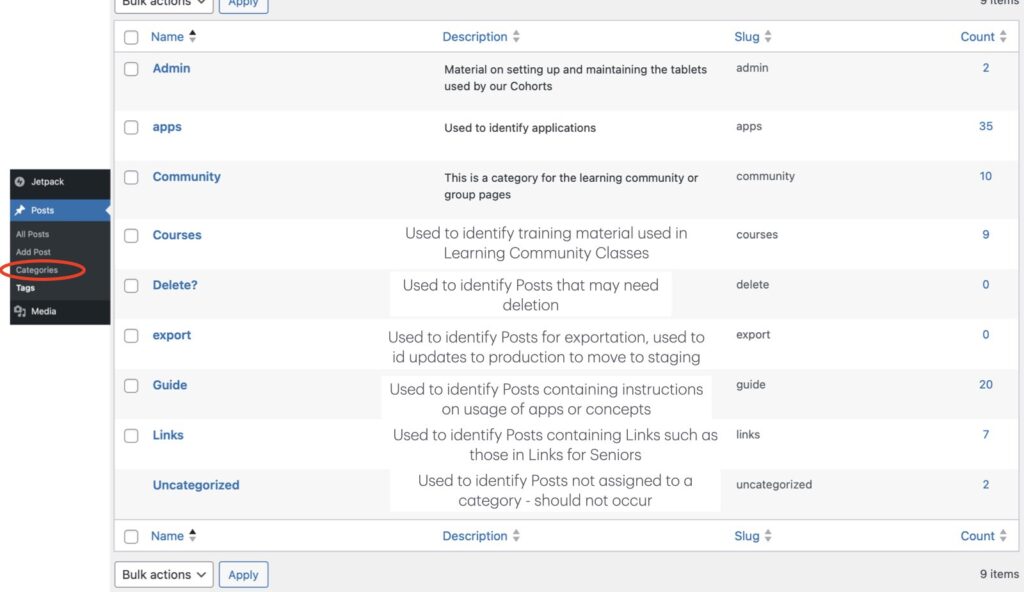
Current Categories
We have chosen to restrict Posts to a single Category. The URL for Posts contain the Category as part of their address. When a Post is assigned to multiple Categories, one of the Categories is selected as the primary and the others are redirected to the URL with the primary Category name. Note that changes to the Category can potentially impact the address of the Post. This may cause the system to automatically create a redirection to maintain the integrity of the site.
Current Tags
Posts can have multiple Tags. This allows us to permit a Post to exist in multiple different groups. For example, the “Intro to JusTalk” Post might belong to the Tags apps, talk, text, sparks, etc. While you can technically add unlimited tags, most WordPress experts and guides recommend using 5–10 meaningful, relevant tags per post to avoid clutter.
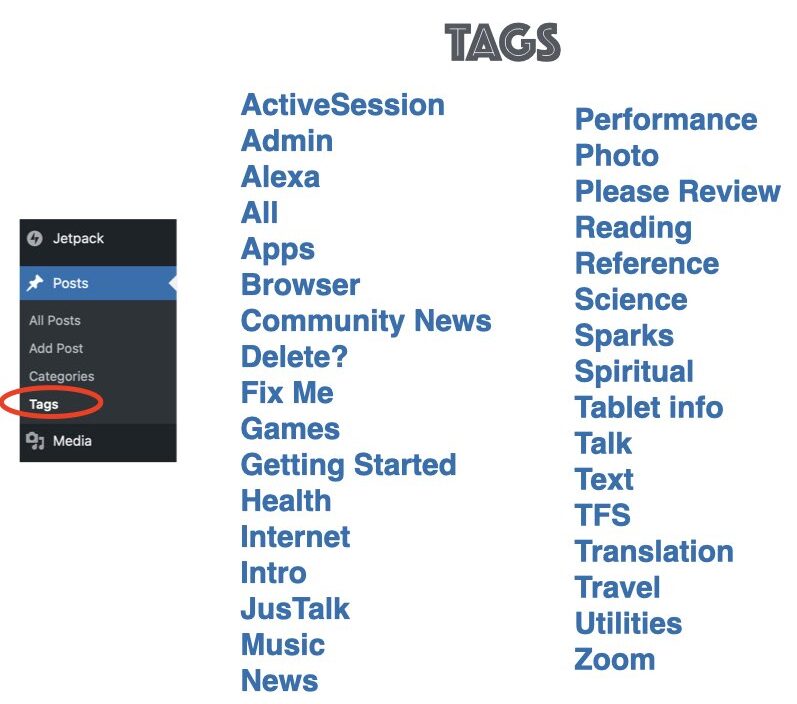
Tags are used to group Posts into Topics, such as courses, internet, reference, jusTalk, MapQuest etc. Tags are used with the Post Table Pro plugin to display groups of information in various Posts throughout the Student and Links for Seniors Apps.
Using Categories and Tags
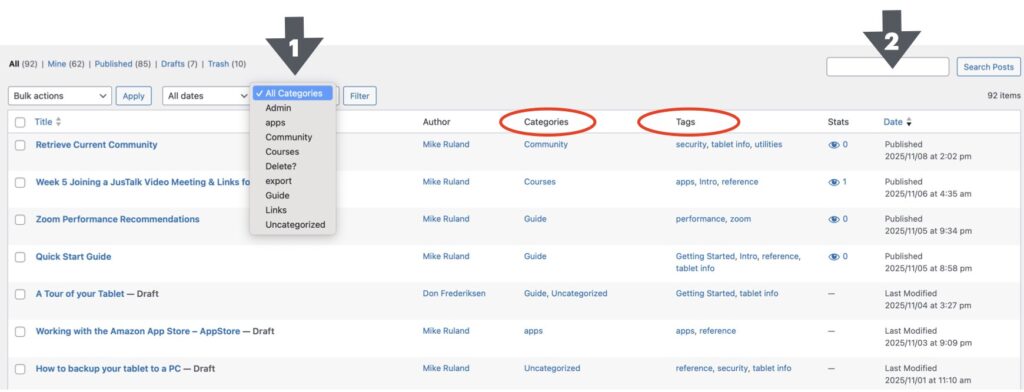
When you list all the Posts in the system you are presented with the following panel. The 2 red circles highlight where you can see the Categories and Tags assigned to a particular Post. Arrow #1 points out where you can filter the Posts displayed by using categories. Select the Category you are interested in; be sure to select the filter button after selecting the Category or nothing will happen. Arrow #2 identifies a search box where you can try searching for a set of Posts with that phrase – in our case a Tag. Again, hit enter or the Select Posts button to filter on that token.
Note that you can also click on a Category or a Tag in the column with the red circle and you will effectively filter on the category or tag you select.
Although Categories and Tags are very helpful for finding Posts in the Post lists, they are even more powerful when combined with Post Tables built with the Post Table Pro plugin. Look here for more information on the Post Table Pro plugin and Post Tables.