
Talk to your Tablet with Alexa
Your tablet will respond to you when you call her Alexa. So instead of tapping or typing, you can actually ask questions and give her commands. We are going to cover this in more detail later in our course but today we want to get you started with two useful commends.
Imaging your tablet is being charged on your counter and you walk by and ask:
“Alexa” (pause for a second as you watch your tablet respond,) “What day is it?”
Your tablet will respond with the day of the week and date. No need to look at a calendar or you can ask:
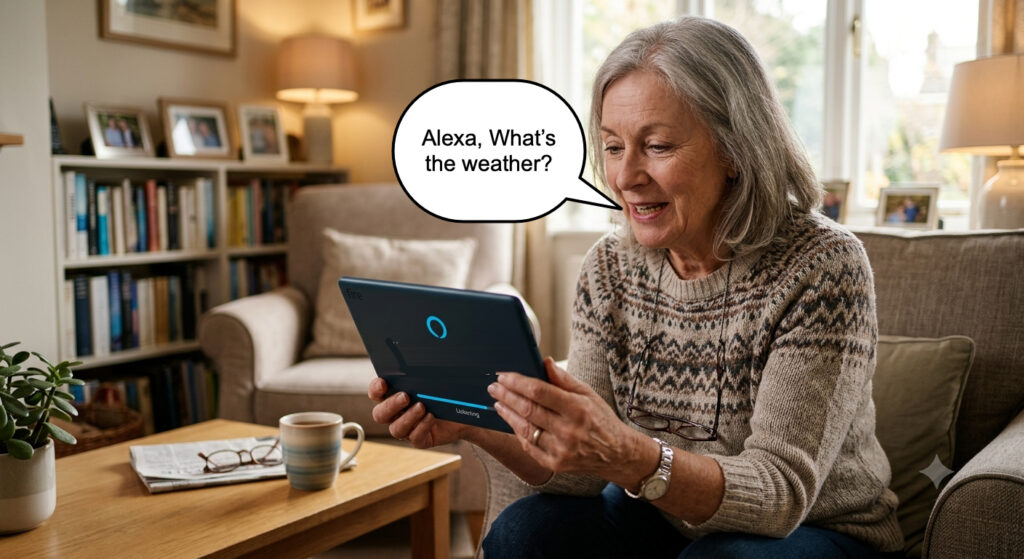
“Alexa” (pause) “What is the weather?”
Alexa will speak a weather report and provide a more detailed report on your tablet screen.
Alexa Tips:
- The pause that you insert between “Alexa” and your command is important. If you watch the screen you will see a blue bar at the bottom of the screen when Alexa is ready to answer your question. You can also hear an audio “be-dong” sound when she is ready.
- Your tablet’s ability to answer questions is the primary reason that we want you to charge your tablet on a counter or side table and ready to respond to a variety of commands questions that we will explore in more detail later in our classes.
Talk to your Tablet with Alexa
Have your tablet plugged in to the charger and
- Have your tablet plugged in to the charger and sitting on a counter or table.
- Ask Alexa what the weather is today?
- Ask Alexa what day is it?
- Ask Alexa, how old is the President?