Summoning Alexa
In this lesson, we will show you how to summon Alexa so that you can give her a voice command. We will also show you the process of giving Alexa a command.
Summon Alexa
Before you can issue a command to Alexa, you will need to summon her. This is the process to get her attention so that she is listening for your command. There are two ways to summon Alexa.
- Use your voice by saying “Alexa.” This is the recommended approach.
- Press and hold the Home button on your screen.
With either method, you will know that Alexa is listening when you see the blue status bar at the bottom of your screen. If your sound volume is up on your tablet, you will also hear a audio “bong.” At this signal, you can then proceed to issue your command or question.
Command Alexa
Once Alexa is summoned you can issue the question or command. In the beginning, keep it simple. Here are some examples:
| Summon | Command or Question | Response |
| Alexa, | What day is it? | “Today is xxxxxx” |
| Alexa, | What is the weather? | “Today’s weather is xxxxxx” |
Response
This is where you can sit back and enjoy the information or action from Alexa.
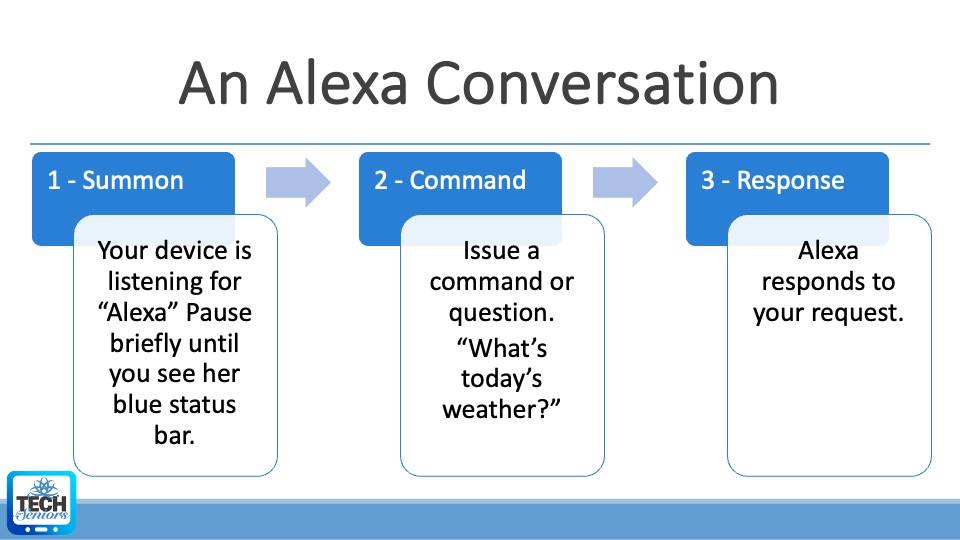
An Alexa Conversation
Working with Alexa has three parts as indicated in this picture. Using this breakdown will help you master and enjoy Alexa as a virtual assistant.