
Essential topics to start your learning Journey
Getting to Know Your Laptop
In the session where you received your laptop, essential topics and setup information was shared. This online lesson reviews those important topics and provides an opportunity to review what you have learned.
On the topics below, click on Learn More to explore this training and get off to a great start with your laptop.
Your Learning Topics
-
The Parts of your Laptop
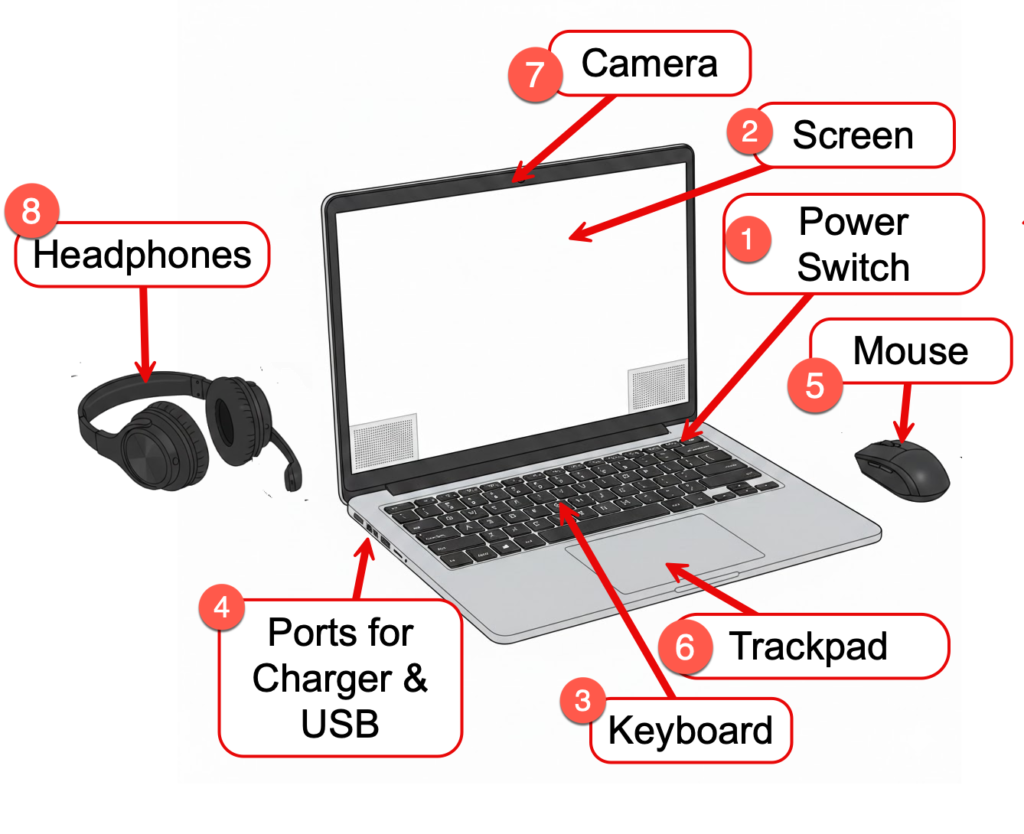
Your laptop has a few basic parts that are important for your operation. Let’s start with a diagram. Based on the provided diagram, here is a numbered list of the laptop components and their functions for your training materials: 1 Power Switch: The button used to turn the laptop on or off, typically located on…
-
Connecting to WiFi and the Internet
This lesson will demonstrate the steps needed to connect your laptop to WiFi in your residence.
-
Windows Basic Operations & TFS Tools
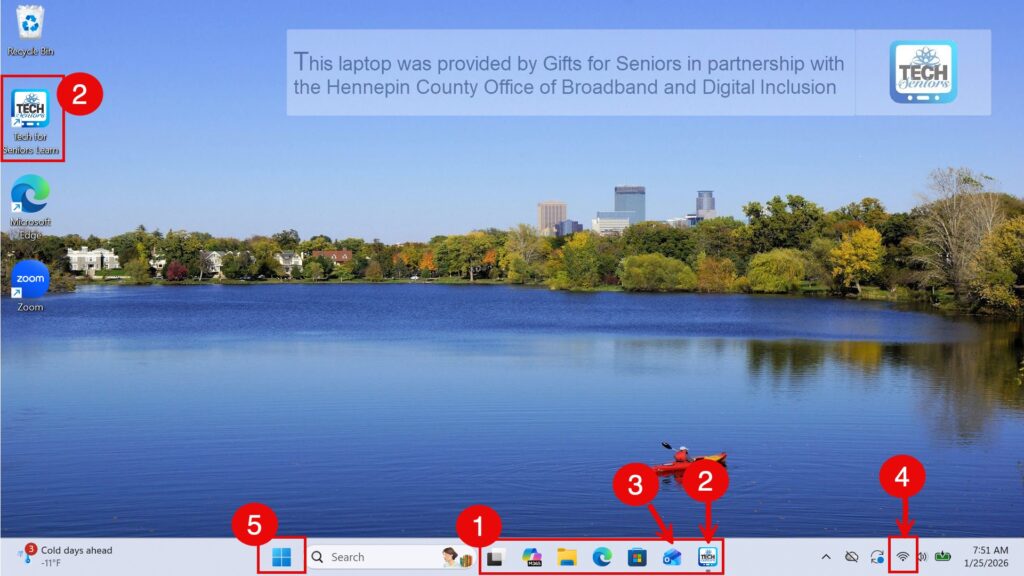
Let’s take a look at the Windows Desktop and review how you access the learning programs from TFS, Email and Zoom.
-
Access your Tech for Seniors Emails
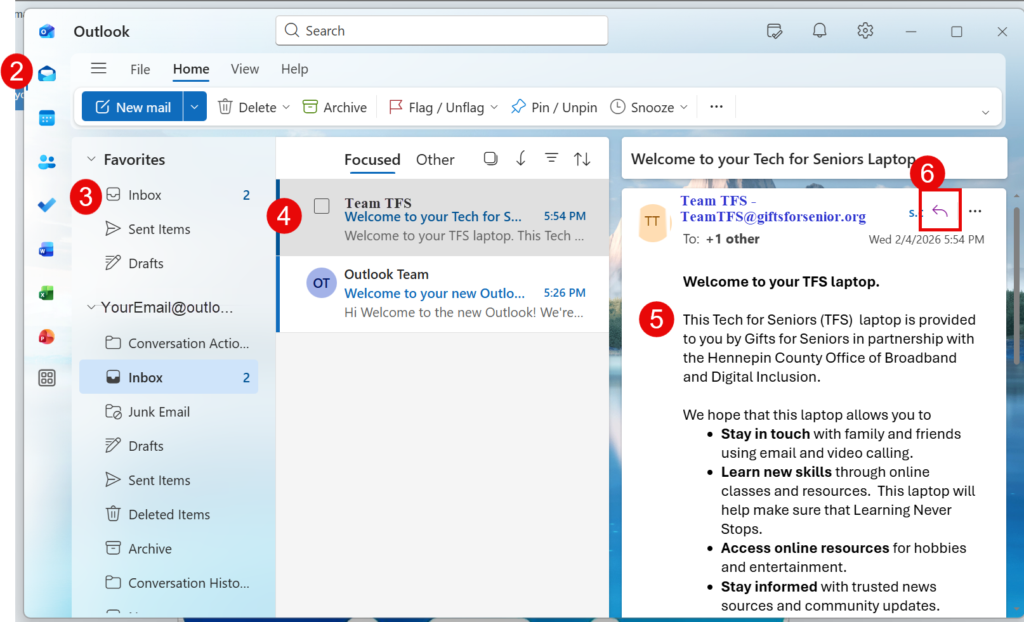
Tech for Seniors will offer support and learning with email. It is an important tool for your laptop use and learning. Learn more with this lesson.
-
Attend a Tech for Seniors Zoom Meeting
Every Wednesday from 3 – 4 PM CT. Participate in our regular Zoom video meeting to continue your learning and to get answers to your questions. The TFS Zoom meetings are held on Wednesdays at 3 PM. These meetings are “office hours” when you can get answers to your questions and gather online with others…
-
Getting Help
Tech for Seniors offers multiple option when you need help with your learning and experience. You can get help with your questions by using our Online programs, Zoom Video Meetings, Email, or Phone. Choose the approach that works best for you. Or mix and match to get the help and learning you need. Click the…


Have fun exploring and remember…..