
Attend a Tech for Seniors Zoom Meeting
Every Wednesday from 3 – 4 PM CT.
Participate in our regular Zoom video meeting to continue your learning and to get answers to your questions. The TFS Zoom meetings are held on Wednesdays at 3 PM. These meetings are “office hours” when you can get answers to your questions and gather online with others on their learning journey.
Clik this button to connect to your meeting. More instructions are below.
Instruction to join the meeting
After clicking on the Join the TFS Zoom Meetin button above, you will see this display on your screen.
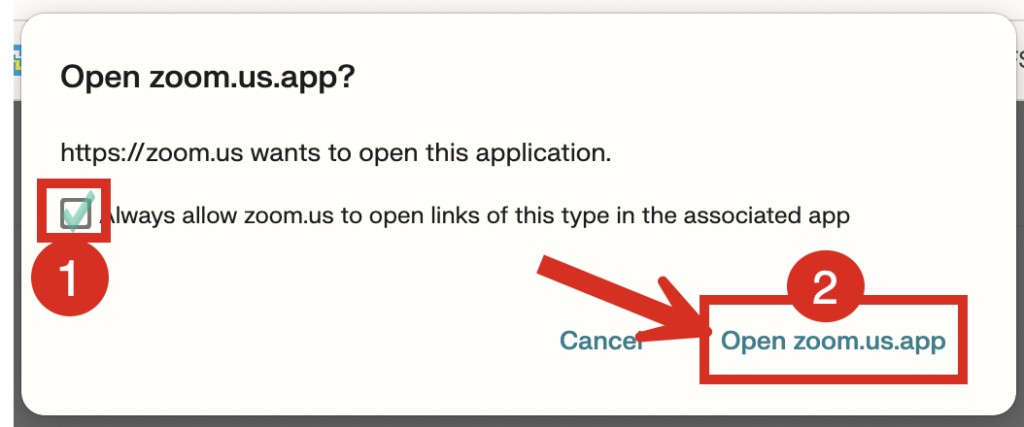
1 The first time you see this screen, click to put a check mark on Always allow zoom.us to open links of this type in the associated app. If you do, this will be the only time you see this screen as you are giving permission to go directly to Zoom. In the future you would go direct to the preview screen below.
2 Click on “Open zoom.us app to start the Zoom meeting.
The Zoom app will start on your laptop and you will see a screen where you can check your appearance, hair, background before you enter the meeting. If the screen is black, you camera’s privacy screen is likely closed Find the slider to open the privacy screen on the top edge of the laptop screen.
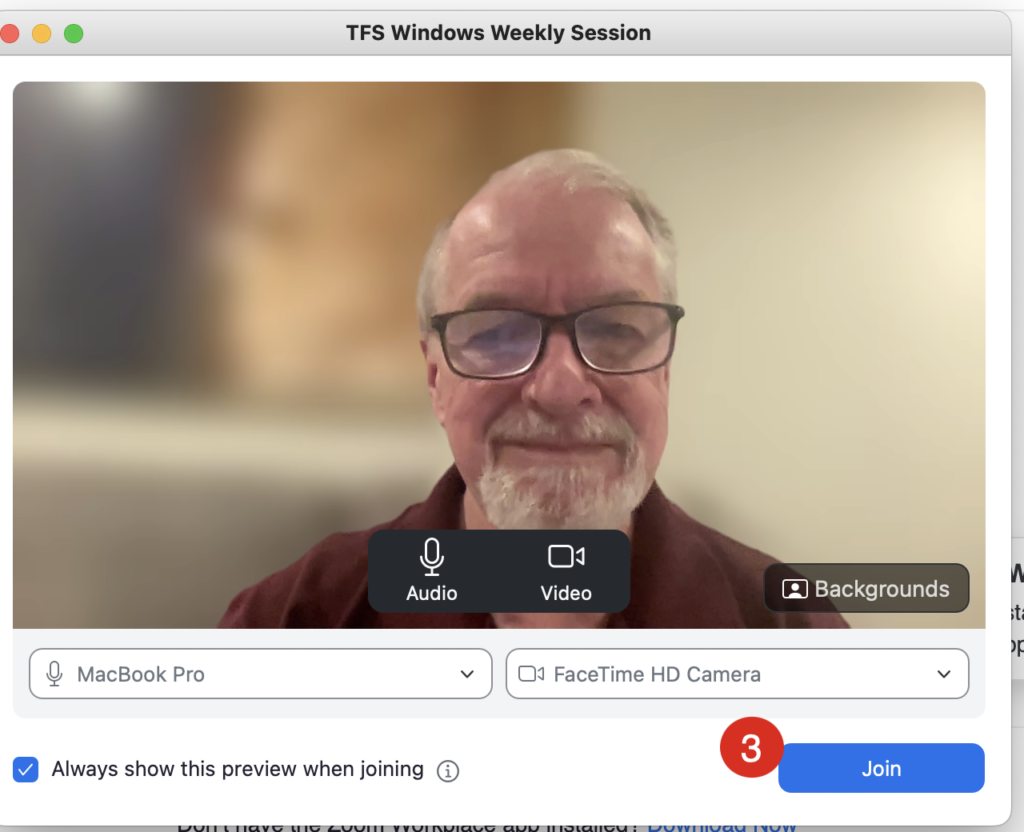
3 After checking how you look, click Join to enter the meeting. You will enter the Zoom meeting.

Have fun exploring and remember…..