
Doc – Understanding Cookies
A cookie is a small file that is stored in the users browser (on the tablet or laptop). Enabling and testing cookies is a bit tricky. The code to enable cookies needs to run outside the WordPress “Loop”, in other words it has to occur before anything is written out to the tablet. Most often it means setting the cookie in a page or post upstream from where it is used.
An advantage of cookies is that since the cookie is stored in the student tablet browser, the student can automatically be connected to their environment rather than doing so during each entry as is currently done. A disadvantage is that the cookie is stored in the student tablet browser, and could present a security exposure if used incorrectly. Most sites present a warning screen and record the user’s acceptance of using the cookie. We probably don’t need to be overly concerned with this until a user moves outside the TechForSeniors environment but we should make sure we are comfortable with this approach. NOTE THAT WE ARE EVALUATING A COOKIE WARNING NOW.
Below is the code I used in the functions.php file to enable using Cookies to pass information within the application.

I have created code blocks to set and retrieve cookies and have done testing to assure they will work correctly in the TechForSeniors environments. The code blocks currently live outside the functions.php file which allows us to more easily modify them, if needed. Unfortunately, the free version of the WPCode plugin doesn’t support naming functions beyond using the function number – unless these functions are included in the functions.php file. This can be done later, if desired. Note that the Child Theme plugin is the best interface for working with the functions.php file, but doing this should be extremely rare.
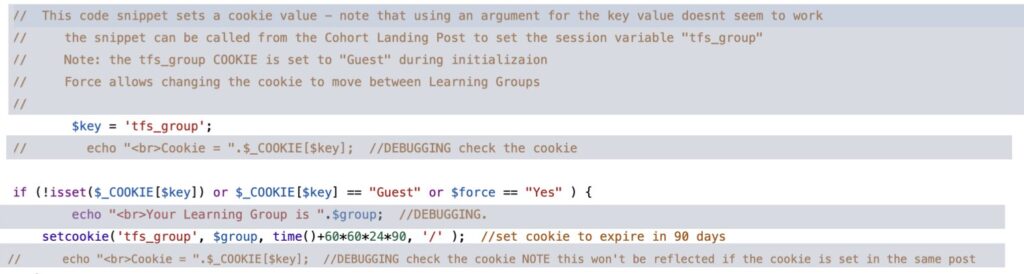
Here is the code to set the Cookie (code block 2305); note that a setting a cookie does not take effect in the post in which is set, but it does show up in downstream posts.
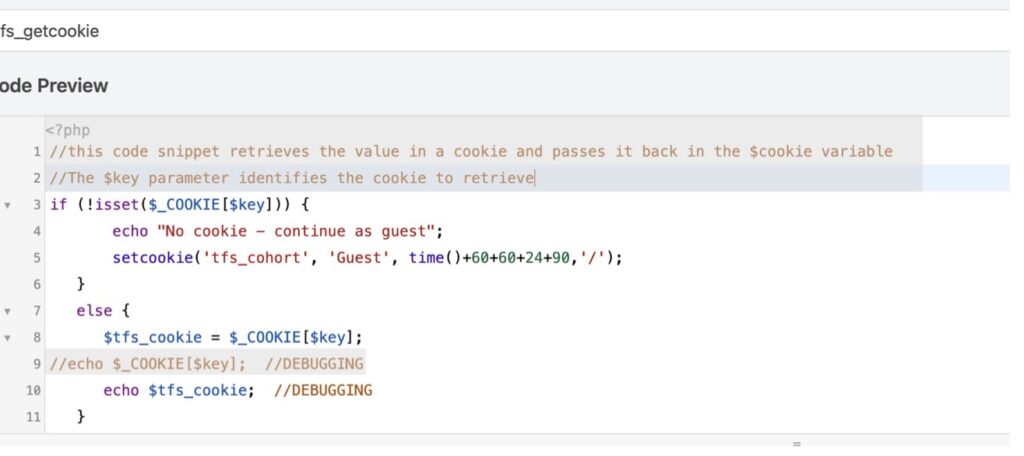
And here is the code to retrieve the Cookie (code block 2306):
And here is an example of how it looks in a Learning Community landing Post (#2).
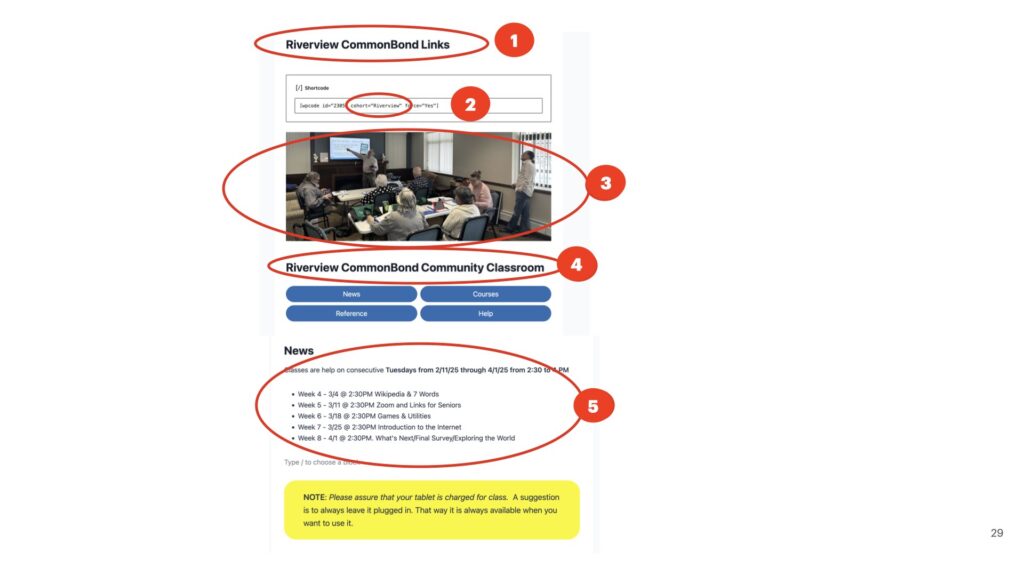
These code blocks are also used in posts “Cookie Test”, “Cookie Passing Test”, “Reset Community Group“, and each Learning Communities home Post.
Here’s the process for creating a new learning community.