
DOC – Customizing a Community Lesson Plan
Each of our communities has individual needs and interests and we have learned that one lesson plan cannot meet the needs of everyone. There is a generic lesson plan included in the Community Template you used when you added the community in the On-boarding new Learning Communities documentation. This post describes how to modify the generic lesson plan in the Community Post Template as the community evolves through the course.
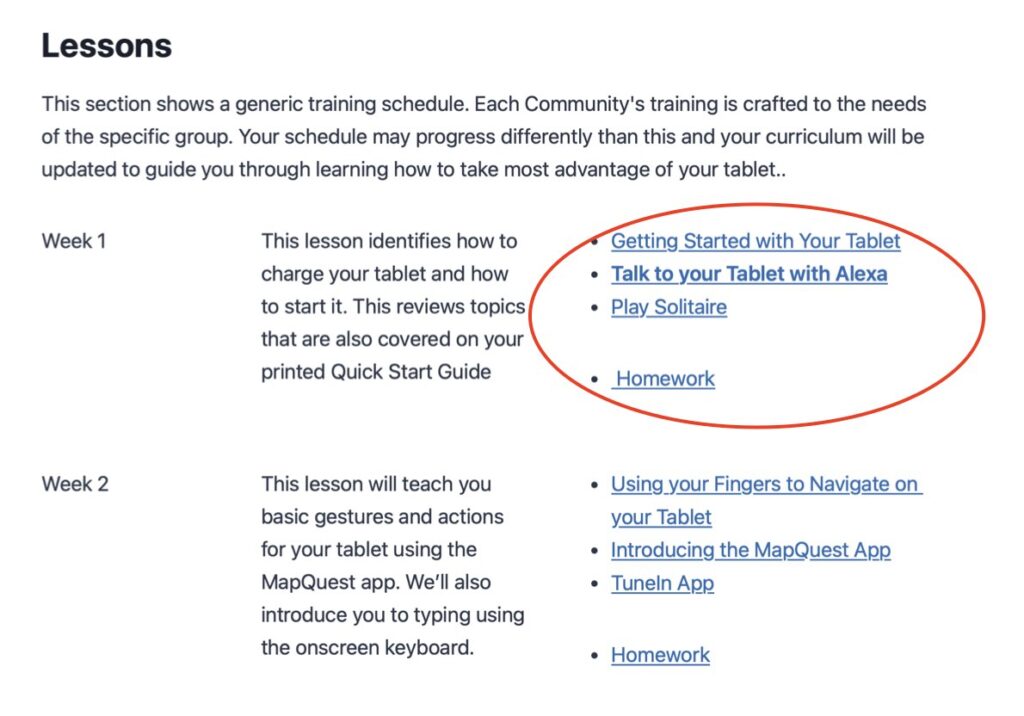
This screen shot shows the generic lesson plan in the template. The URLs of the lessons included in Week 1 of the course are circled in red.
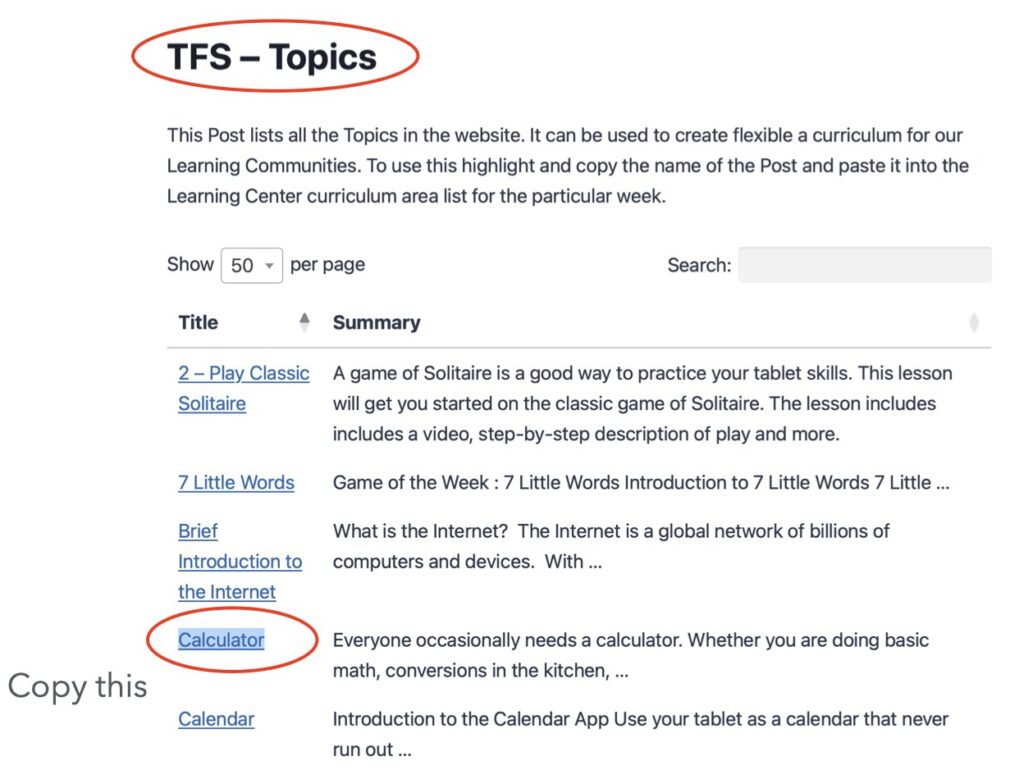
To begin the process run the Topics query in the TFS – Topics post. This query lists the topics available and the title of the topic can be copied and pasted into the lesson plan to add or replace a lesson.
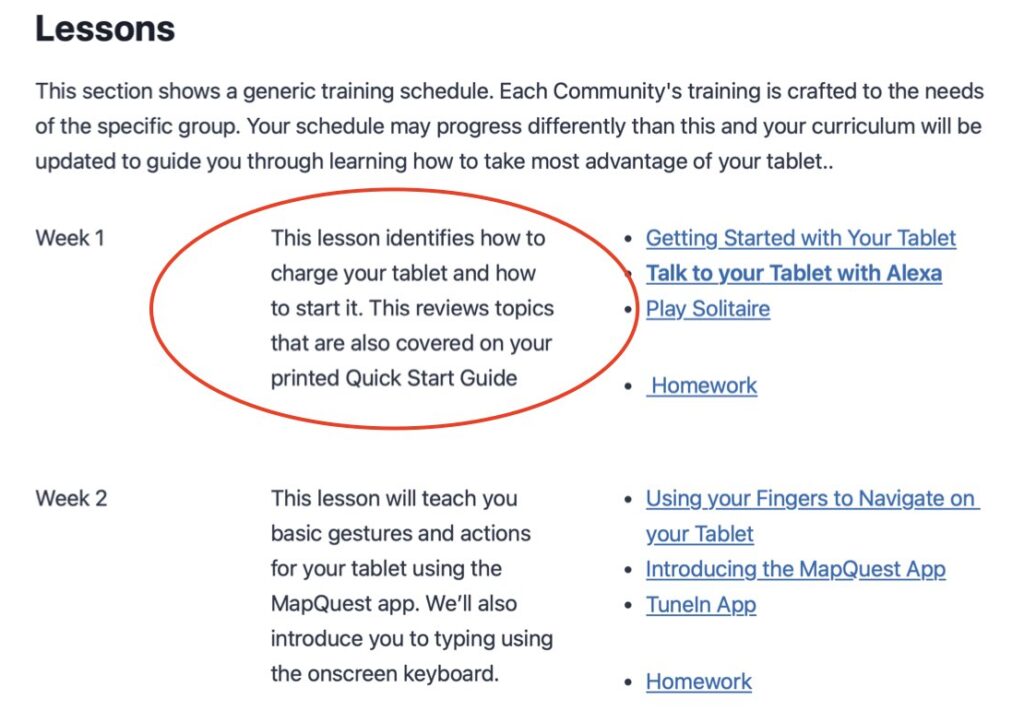
If you choose to modify the lesson plan you may want to also modify the description in that week’s lesson.
Finally, you may need to modify the Homework associated with that week’s lesson. Again we start with a listing of all the homework posts available (see TFS Homework Post) – so far we have built homework with all the default topics. If a homework is not built for a topic you would like to use you will need to build one using a current homework post as a template., Now copy the homework post name (the URL will also be copied automatically). Next in the learning community links page create a “insert page” Block in the appropriate week and paste the title/URL into the link area of the insert page. You will need an “insert page” Block for each lesson.
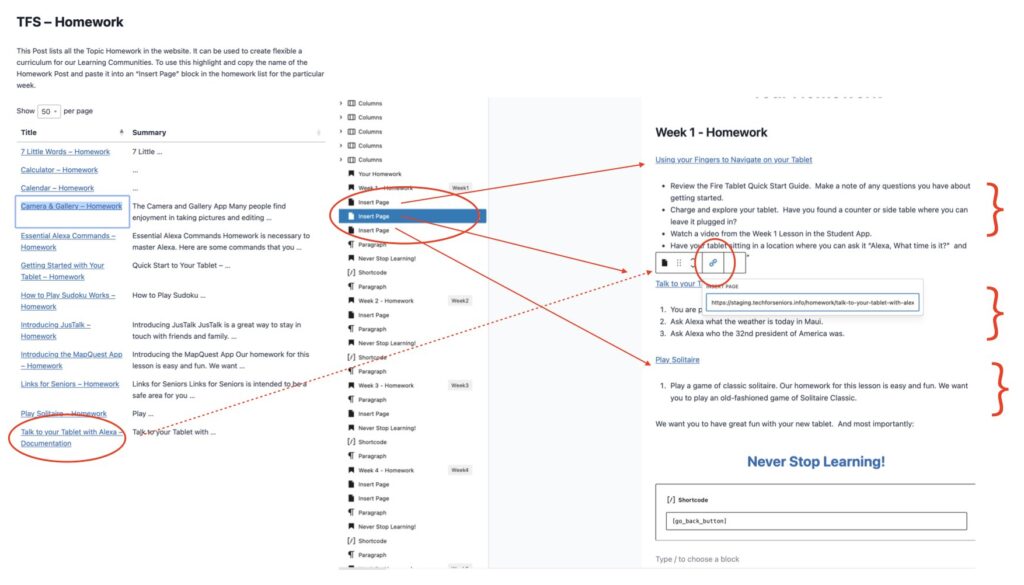
In the example about we have inserted 3 “insert page” blocks into week 1 (one for each lesson/topic). Then we copy the homework for that topic from the TFS Homework listing and paste it into one of the “insert page” blocks. For week 1 above, we have 3 topics and we have put them in the same order as we have them in the Lesson section above.
That’s it. We have strived to make this process simple and flexible. It might seem confusing at first but really if you open a browser tab for the Topics, one for the homework and one for the learning center links post, it is simply a matter of copying and pasting from the Topic and Homework listings into the learning community’s Links post.
Don’t feel you need to understand the needs of the learning community at the start of the session – this will surface as you navigate through the course (that’s why we have a “navigator’). It might be beneficial to show the community the list of topics to help them help you decide what direction to take in the course.