
DOC – The Post Table Pro Plugin
Post Tables
One option to organize how data is displayed is to use a manual query against the WordPress database. This approach eliminates the need to manually add new content to a list of content for a specific usage. Although not exceedingly difficult it still requires database knowledge and some technical acumen. Post Table Pro plugin lowers the complexity of organizing how data is presented significantly. Note that although the Post Table Pro plugin works in all our website environments, it is only licensed in production so it can only be update there.
Post Tables are used extensively in presenting the Posts using various groupings of Category and Tags. The Post Tables Pro plugin is used extensively to display lists of content organized by Categories and Tags, most are self explanatory. Here is the current list:
- Admin Documentation – Lists all the TechforSeniors website Documentation
- Active Community – Lists all Posts with the “ActiveSession” Tag (not currently used)
- All Communities – Lists all Posts in the “Communities” Category (not currently used)
- Links Your Tablet – Lists all Published Posts with “Tablet Info” Tag (searchable)
- Fun and Games – Lists all Posts with the “Games”, “Music”, “Travel”, “Photo” or “Maps” Tags
- All Community News – Lists the Community News Post (not currently used)
- Courses Conference – Lists all Posts with Category “Courses” and Tag “Intro”
- Sparks – List all Published Posts with “Spark” Tag
- Search by Category – List all Posts with a chosen Category (searchable)
- Search by Tag – Lists all Posts with a chosen Tag (searchable)
- Search Apps – List all Published Posts with Category “apps” (searchable)
- Tablet Configuration – Lists all Posts with Category “Tablet Configuration”
- Site Documentation – Lists all Posts with Category “Site Documentation”
- All Pages – Lists all Pages
- All Posts – Lists all Posts (searchable)
- Courses -Lists all Posts with Category “Courses” and Tag “Intro”
- Alexa Course Lessons – Lists all Posts with Category “Courses” and Tag “Intro”
- Getting Started Course Lessons – Lists all Posts with Category “Courses” and Tag “Alexa” (uses a “Start Lesson” button)
The TFS – Post Table Validation and Queries Post will provide a comprehensive look at the Post Table queries described above and also provide an example of using them.
Creating and Managing Post Tables
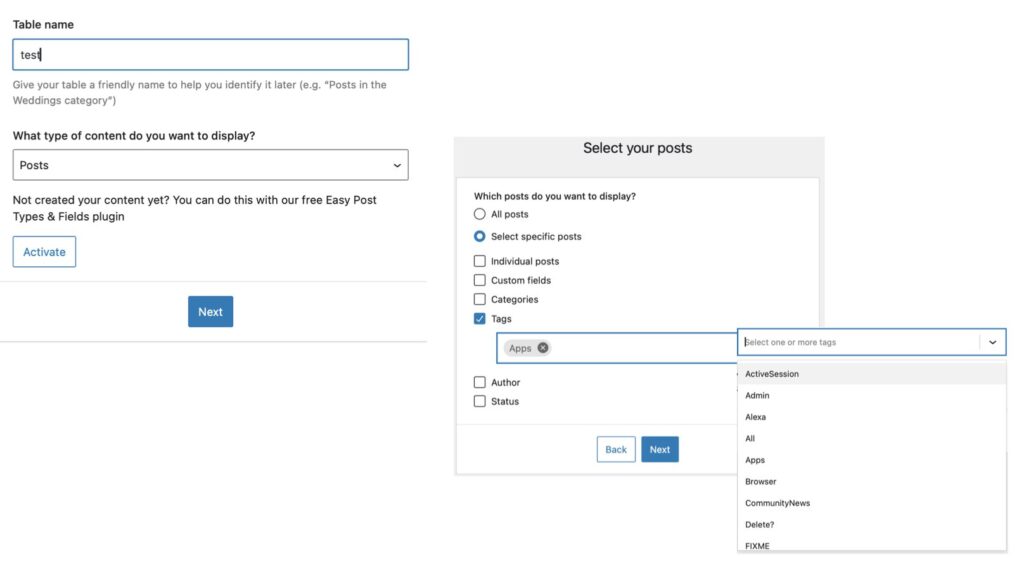
Creating a Post Table may seem daunting at first but it is fairly straightforward and easy to go back and change or recreate the table. First, in the picture below from left to right; we name the table and specify what content we are working with (Pages or Posts) – here we’ve chosen Posts. Next we define which Posts to use; we only want a subset of Posts based on the Tag “apps”, note that you can include multiple tags and the result will be the union of the Posts satisfying our selection criteria.
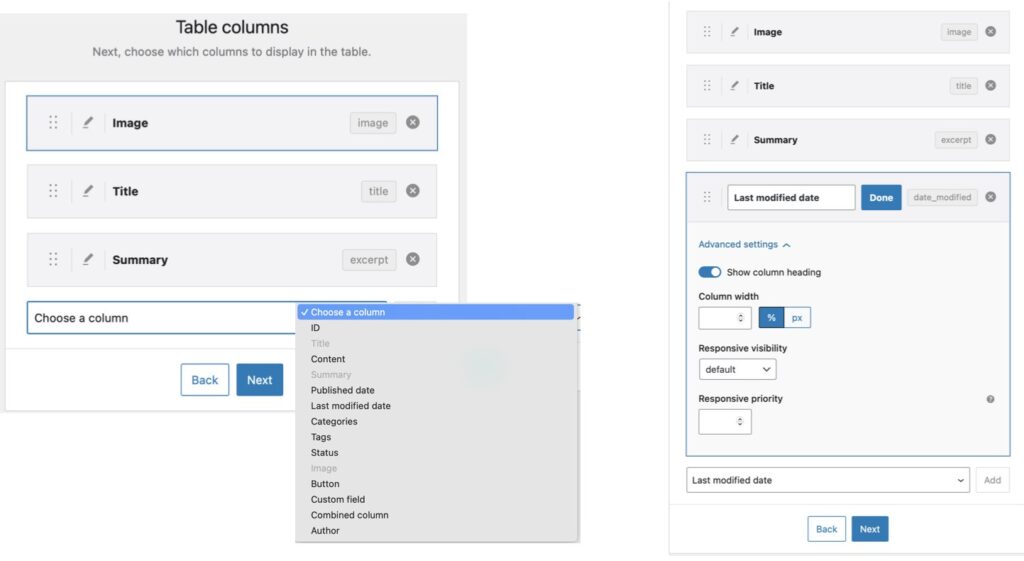
Next we identify the Columns we want to display. Here we added an additional column to the default 3 columns called “Last modified date”.
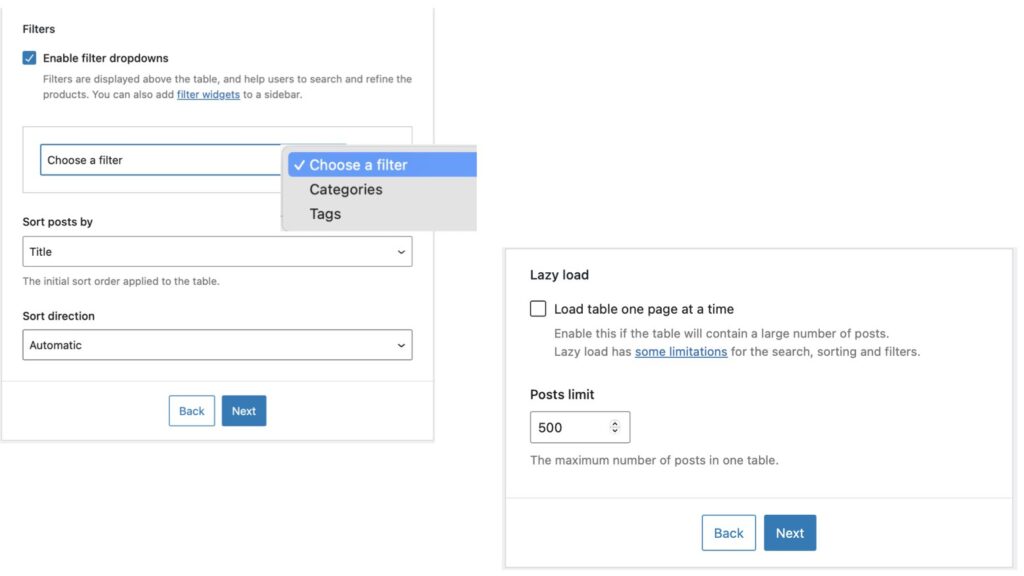
Next we can include a drop down for filtering on the result set and how to sort the resulting list. Note that all categories or tags will be displayed (so Admin and it’s sub-categories will show up). And finally we can set some performance guidelines for the query, like Lazy Load and the maximum number of Posts to work with. Note that Lazy Load can improve the load time of the first page of results but further filtering and searching may be affected since not all the resulting Posts will be considered during filtering.
That’s it – not too hard, but very powerful. The TFS – Post Table Validation and Queries Post is a collection of the main Post Tables and is a good test to assure it is working properly.