DOC – The Redirection Plugin
Redirection
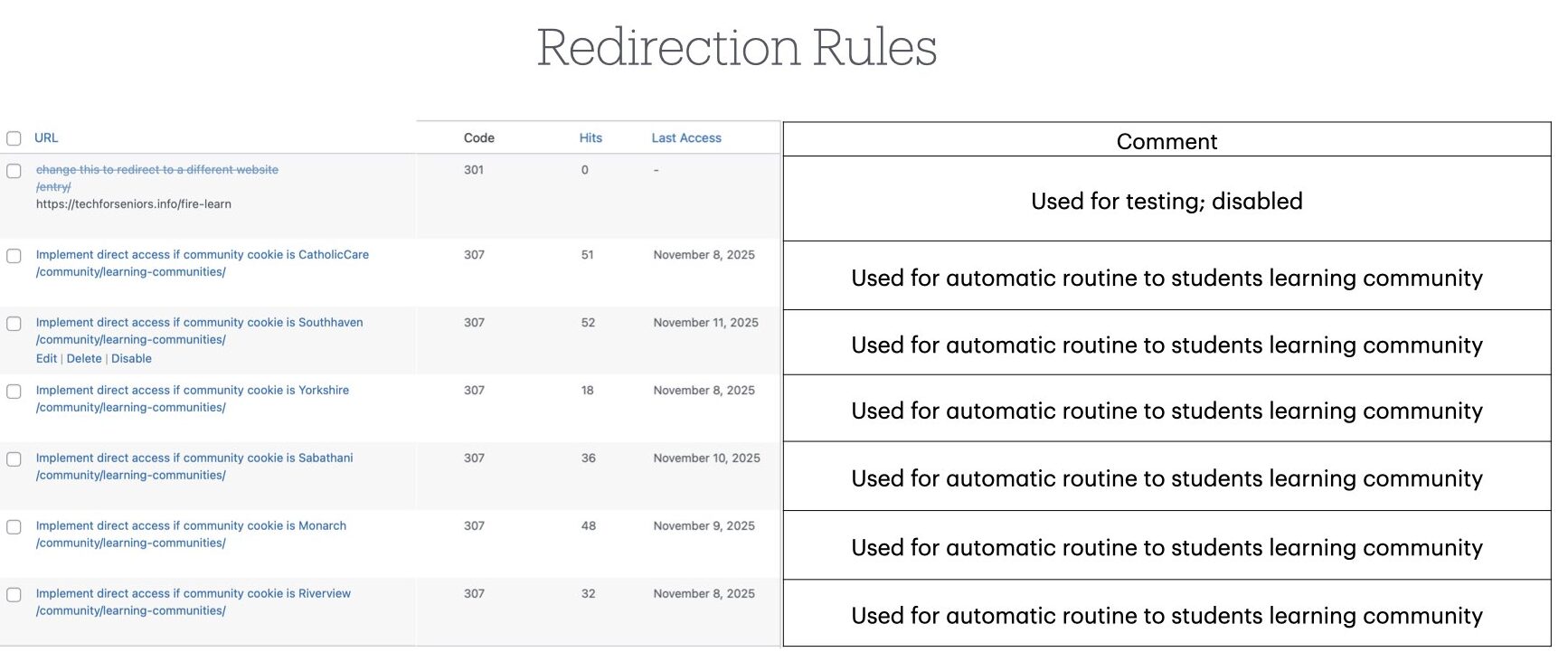
When entering through the Student App, the “Leaning Community” Post is called. Before entering the Learning Community Post, the Redirection plugin is used to check if the student has previously logged in as part of a learning community by inspecting the value of the tfs_group cookie. If so, they are redirected to the appropriate learning community landing post. If not, they are sent to the “Learning Communities” Post where they can choose a learning community or continue as a “Guest”. If they chose to enter as a guest, they are sent to the “Links for Seniors Links” Post. This is not something we currently use but it allows us to in the future if we decide to.
Here are the current Redirection Rules used in the system.
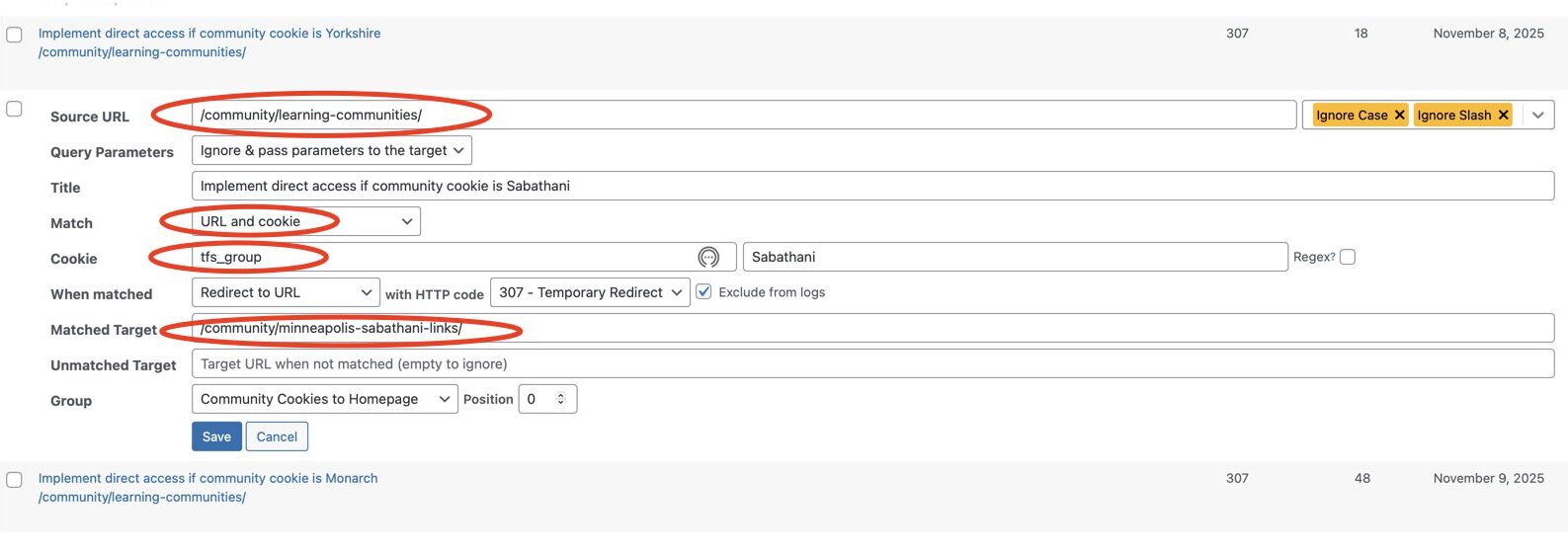
When entering through the Links for Seniors App, the current cookie value is simply passed though. If the student has previously logged in through the Student App their cookie will still be available for us to use to customize their experience. The next picture shows the values used to implement a redirection. Setting this up is all part of adding a new Learning Community to the website.
Redirection Logs
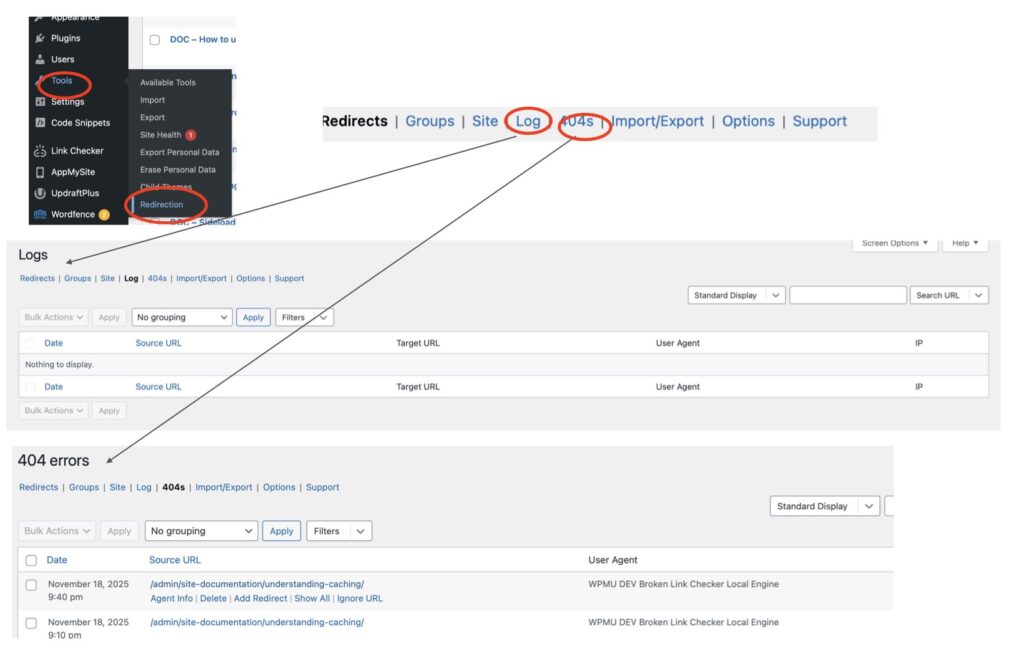
It is important to periodically review various logs the system collects to assure things are running smoothly. Note that changing a Posts category can change its Slug (it’s URL), when this happens a redirection will also appear in the list of redirections – keep an eye on this if you change the Category associated with a Post.