DOC – Understanding Session Variables
Session Variables are not currently used in the TFS environments, but one has been defined to use or to demonstrate the pattern to follow to create a new one. This topic documents describes what they can do.
Unlike cookies, session variables are kept on the server and are associated with the particular session. So when a user logs in and selects a Community, the Community name can be recalled across blocks and posts, as long as a session is established. Starting a session is done by using a code block in the functions.php file. A session is typically terminated when the user logs out of the system or after being idle for a period of time (effectively a zombie session). Since we have purposely set up the tablets to avoid needing a login or logout, we may need to find an alternate approach to managing zombie sessions if we choose to use session variables. This is still being investigated and there are plugins available that do this.
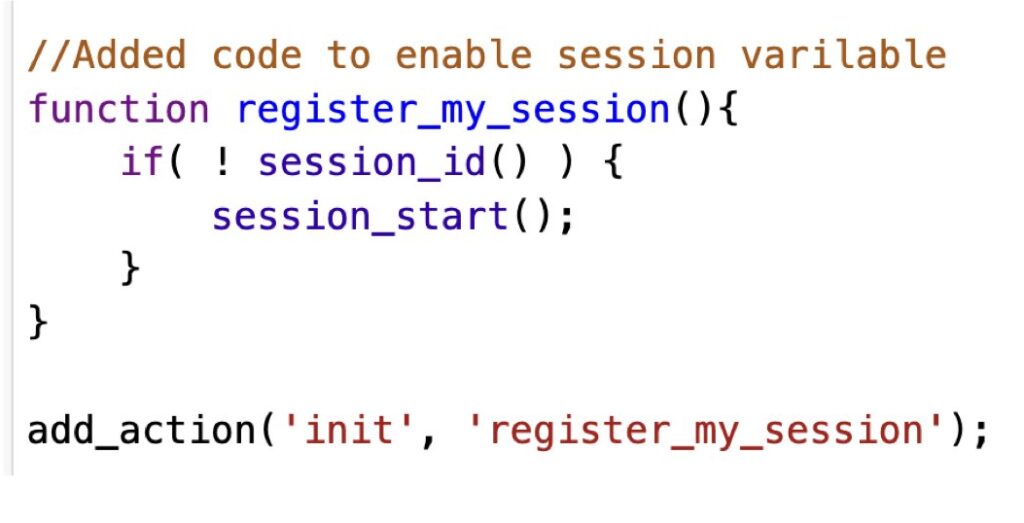
Here is the code added to the Child Theme’s functions.php fie to start a session. Like cookies this needs to be initialized prior to being in the WordPress loop (before writing anything to the tablet).
This checks to see if a session is already in progress and starts a new one if not. It is added to the “init” hook, outside the loop.
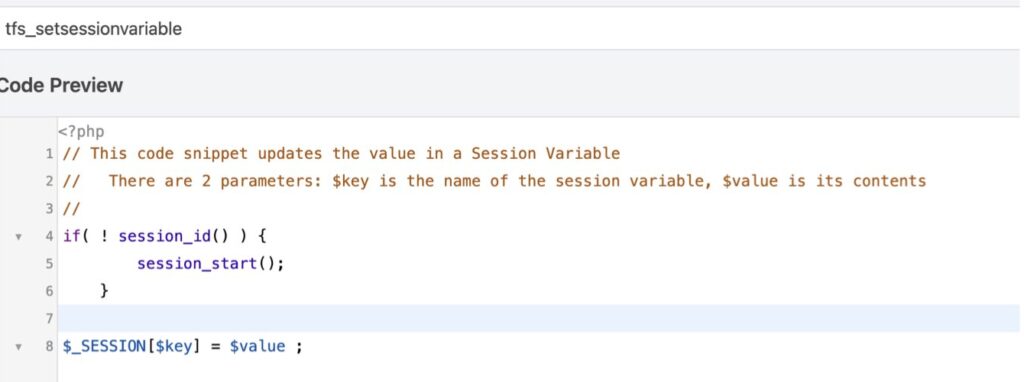
I created 2 code blocks similar to those for cookies. The first code block sets the session variable (code block 2319); sessions can be cached so we check if there is a session already started. Note that it is recommended that a session be ended to avoid zombie sessions laying around. Since our users don’t log out of the system, this needs to be investigated; perhaps we can create a code block when the users leaves or times out.
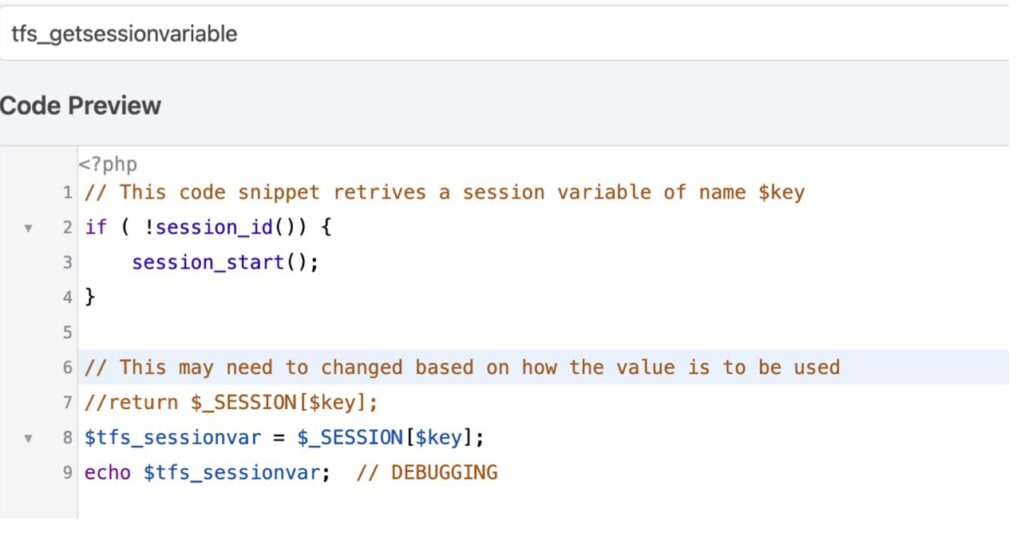
The next code block retrieves the session variable (code block 2320):