
DOC – Working with Child Themes and functions.php
Child Themes
We have created a Child Theme in the websites to isolate any modifications we make from updates to plugins or WordPress itself. While it provides a very robust environment for enhancing or extending the environment, we are really only currently using is to simplify modifications to the functions.php file. This file is key to creating and using cookies and session variables. You really shouldn’t need to get this deep but here are the concepts just in case you need it.
functions.php
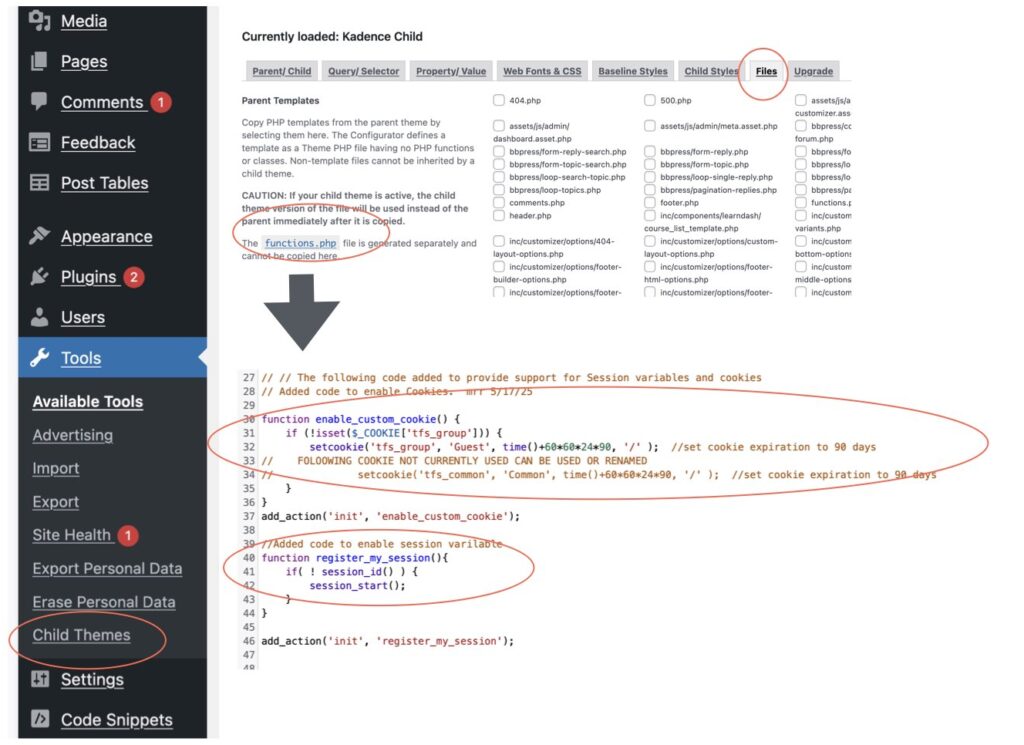
The Child Theme Configurator plugin provides a convenient interface to maintain the Child Theme files. Select Tools -> Child Themes and then select the files tab. You can then select the correct functions.php file to edit. There is a lot of code at the beginning of the functions.php file; our changes are included at the very bottom of the file. The picture below shows how the cookie “tfs_group” and session variable are defined. There is also code that is commented out since it is being phased out with the addition of the Redirection plugin.
You can also edit the functions.php file from the Hostinger website. The Following slides show where in the file structure in the “mike” subdomain the functions.php file exists. Following the path show in the next diagram should be rather self explanatory. Notice that there are only 3 files in the Kadence-child Theme; the bulk of the files exist in the Kadence theme. As you saw above, the Child Theme Configurator plugin interface is significantly easier to use. If we look back at the “Managing Staging Areas” panel from the Hostinger site we just looked at, there are a lot of utilities we can use. We want to see the files in our environment (NOT THE HOST – see the big red X), so we the “Files” option and the “File Manager” sub option.
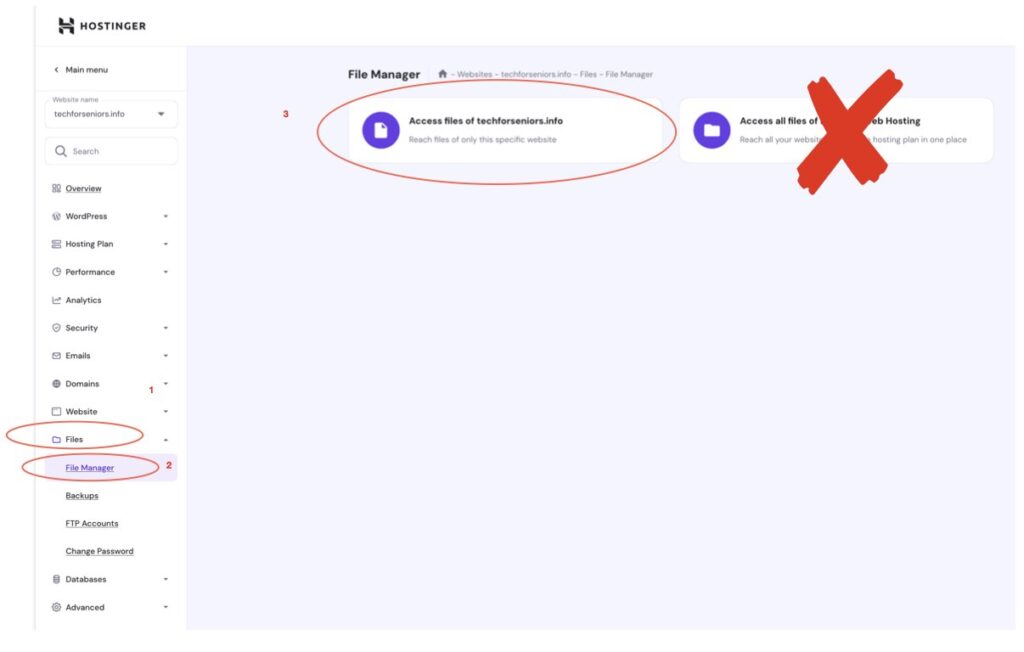
Be sure to select the “Access files of techforseniors.info” box and not the files of the Hostinger environment box. As we will see on these pages, the staging areas are sub-environments to the production environment.
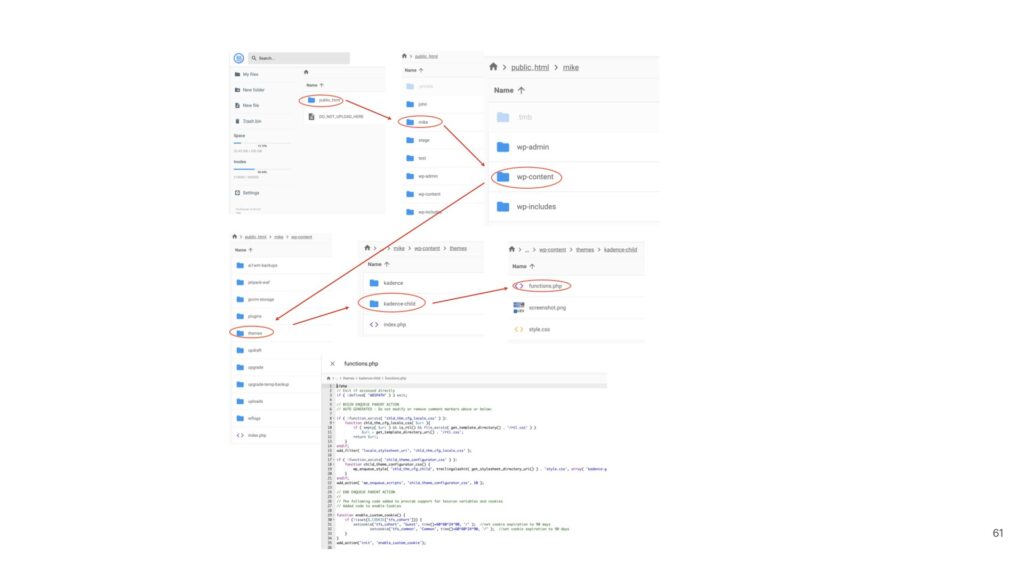
We are presented with a file browsing panel. You can access the functions.php file by navigating through the directory structure one level at a time. Note that this is a rather lengthy sequence and a mistake in navigation could easily wind you up at the wrong file. See how much easier and less error prone the Child Theme Configurator process is?
You can see here how much simpler the Child Theme is for this, even without the ability to isolate our changes.